Skip to content
Features

Everything SaveFold does today.

Save, organize with Topics, find it again — and keep your data yours. Everything below exists today; anything not built yet is marked, not promised.

Save anywhere

Getting it into SaveFold takes almost no effort.

Share from any app on your phone, click SaveFold in your browser, or paste a link on the web. The title and preview arrive by themselves.

  • From your phone: the Android share menu or the iPhone share sheet
  • From your browser: click SaveFold on the page you are on
  • On the web: paste a link, or write a note with no link at all
  • Saved it already? SaveFold tells you — no doubles
AvailableSaveFold for Chrome and other Chromium browsers.

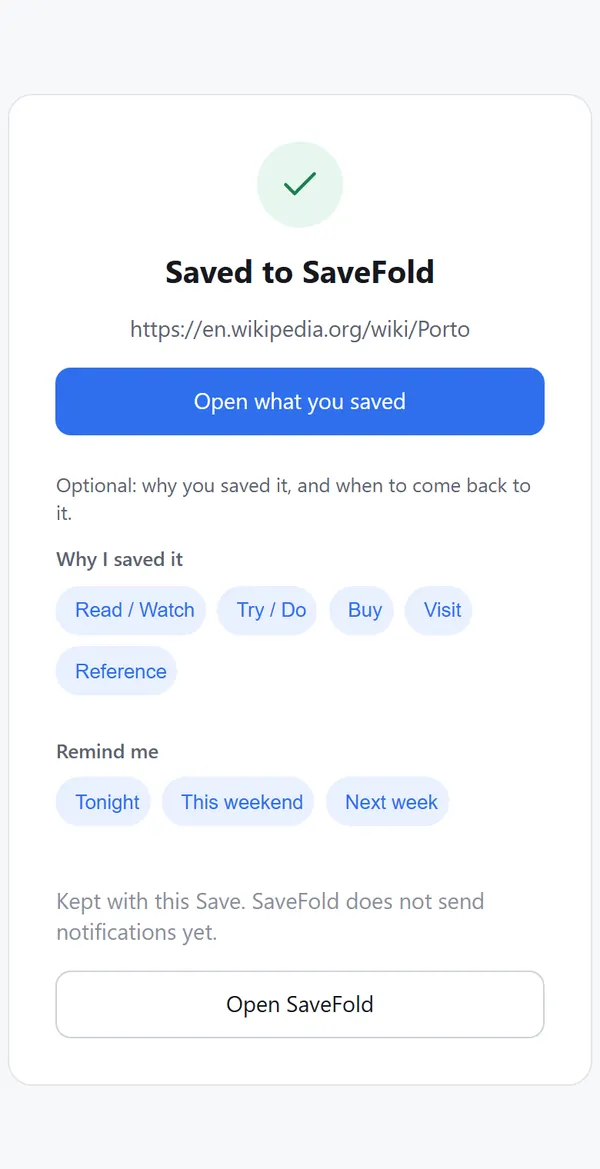
SaveFold on a phone right after a share: “Saved”, the page title, and optional chips for why you saved it and when to come back
Organize with Topics

Start simple. Go as deep as you need.

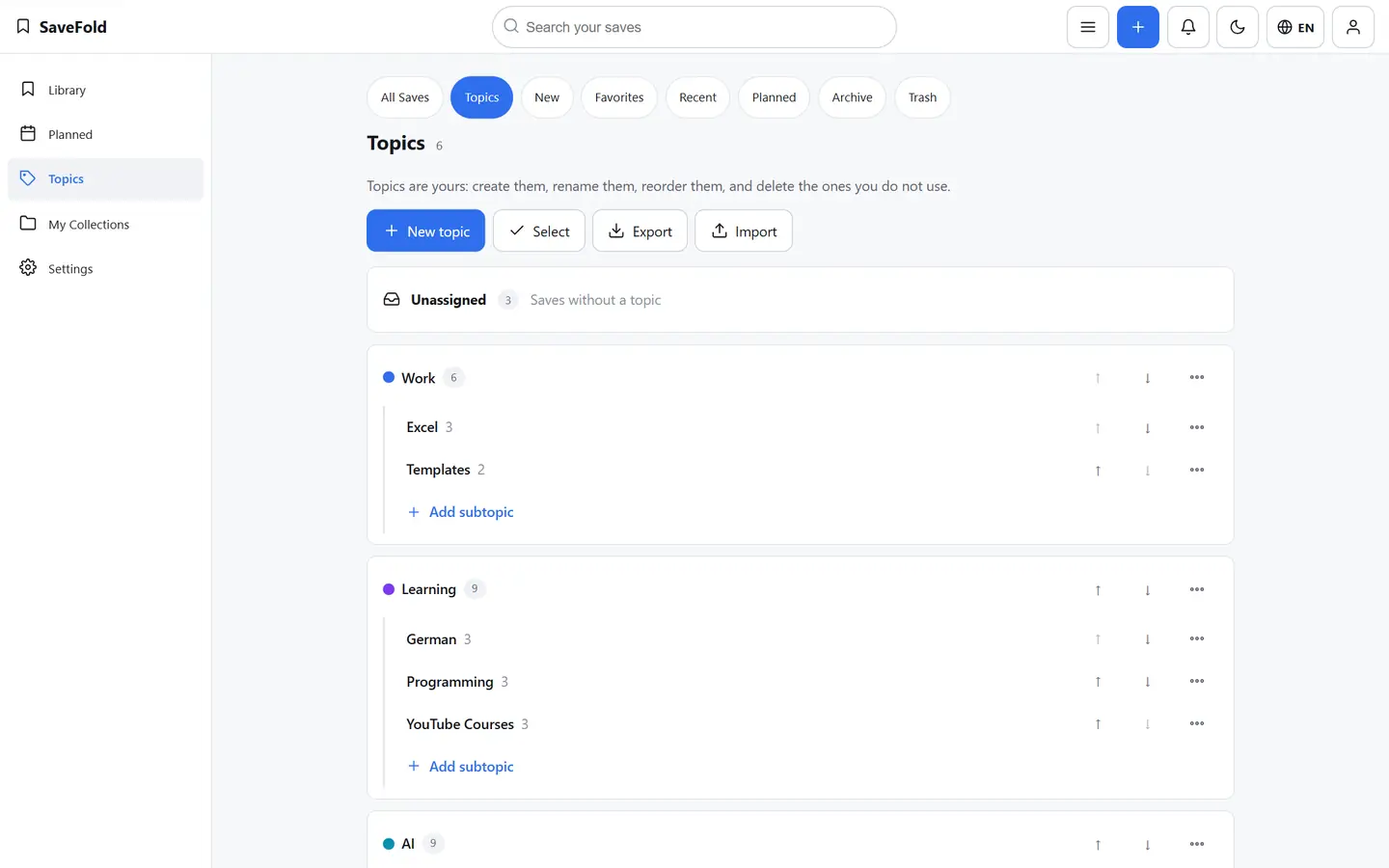
Topics are the folders you organize everything into — Main Topics, Subtopics, and Subtopics inside those when a Topic grows. You name, colour and order them; a Save without a Topic is still findable.

  • Main Topics and Subtopics, as many levels as you need
  • Rename, recolour, reorder or move a Topic — no Save is ever lost
  • Save from the same creator again? SaveFold files it where you chose
  • Collections, when you want one: a hand-picked set of Saves from any Topic
The Topics page on a computer: Main Topics such as AI, Learning and Travel, each with its Subtopics and Save counts
Find it again

Find it when you need it.

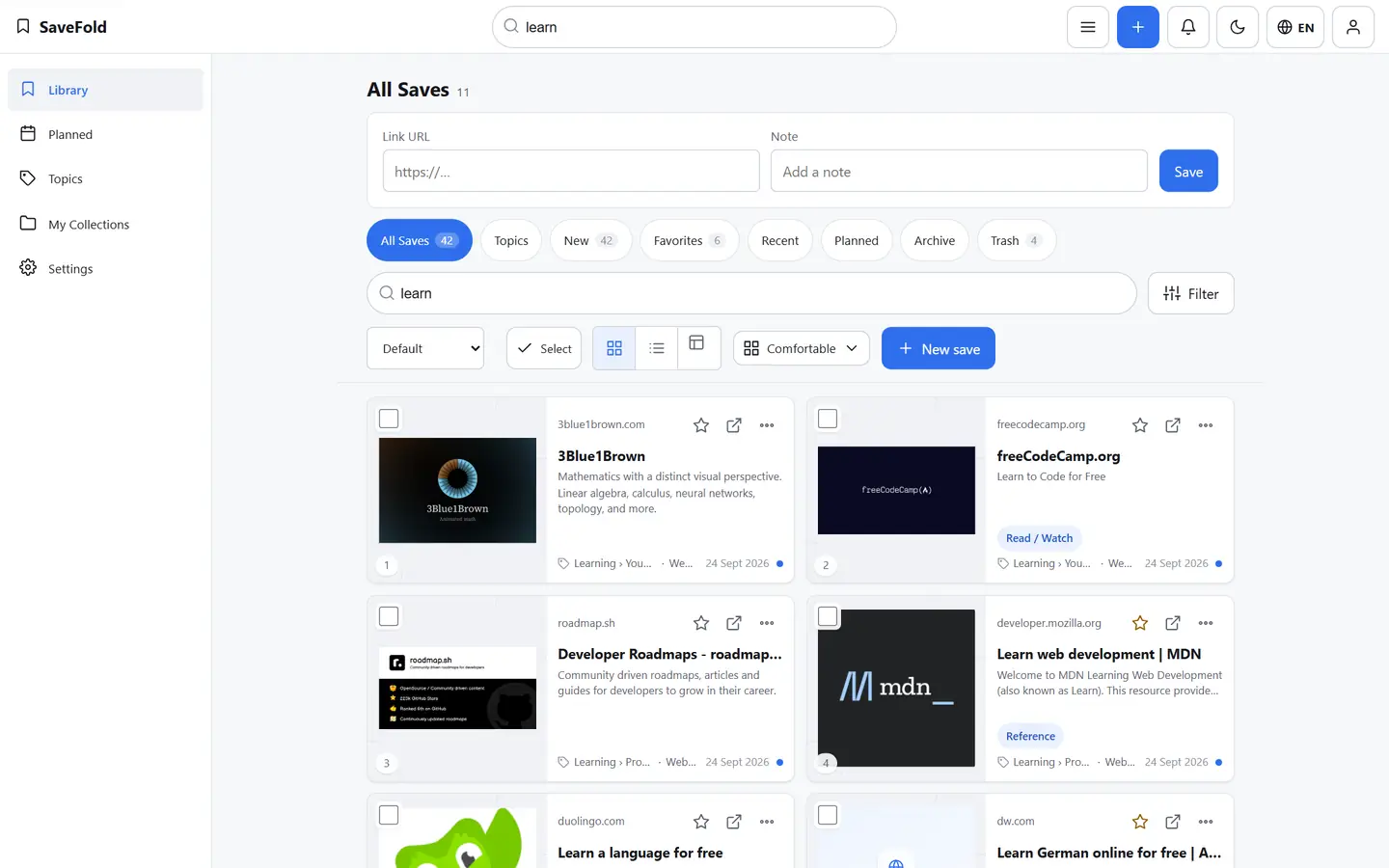
Search by what you remember — a word from the title, your own note, the Topic, the source. Filter it down. And when you don’t remember, SaveFold brings old Saves back to you.

  • Search across titles, notes, Topics, sources and tags
  • Filter by platform, Topic or source; Personal adds type, tag and date
  • Favorites and Recent one tap away; Planned for the ones you meant to come back to
  • “From your Library” shows a few older Saves each day — plain rules, no AI, off whenever you like

A reminder appears in Planned and on the bell inside SaveFold — nothing is sent by e-mail or push.

The Library on a computer, searching for “learn”: matching Saves with their Topic, source and preview
Your data

Bring it with you. Keep it yours.

Already have saved links somewhere else? Bring them along. And whatever you keep in SaveFold stays yours to export or delete.

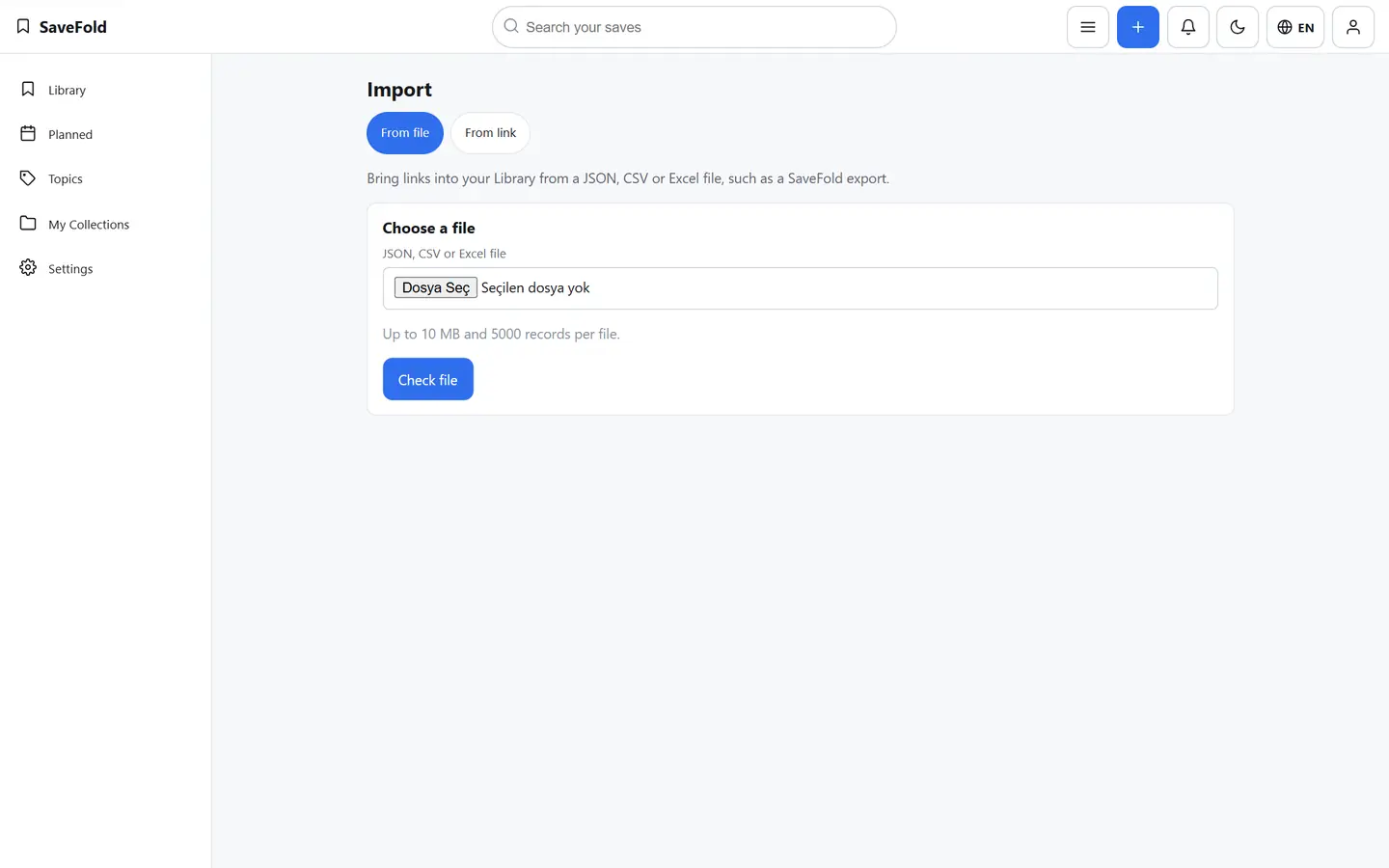
  • Import from a JSON, CSV or Excel file, or from a SaveFold share link
  • Export your whole Library as JSON on every plan
  • Deleted by mistake? It waits in Trash until you decide
  • Delete your account yourself, from Settings
The Import page: bring Saves from a file or from a SaveFold share link
Share

Share once. Keep it updated.

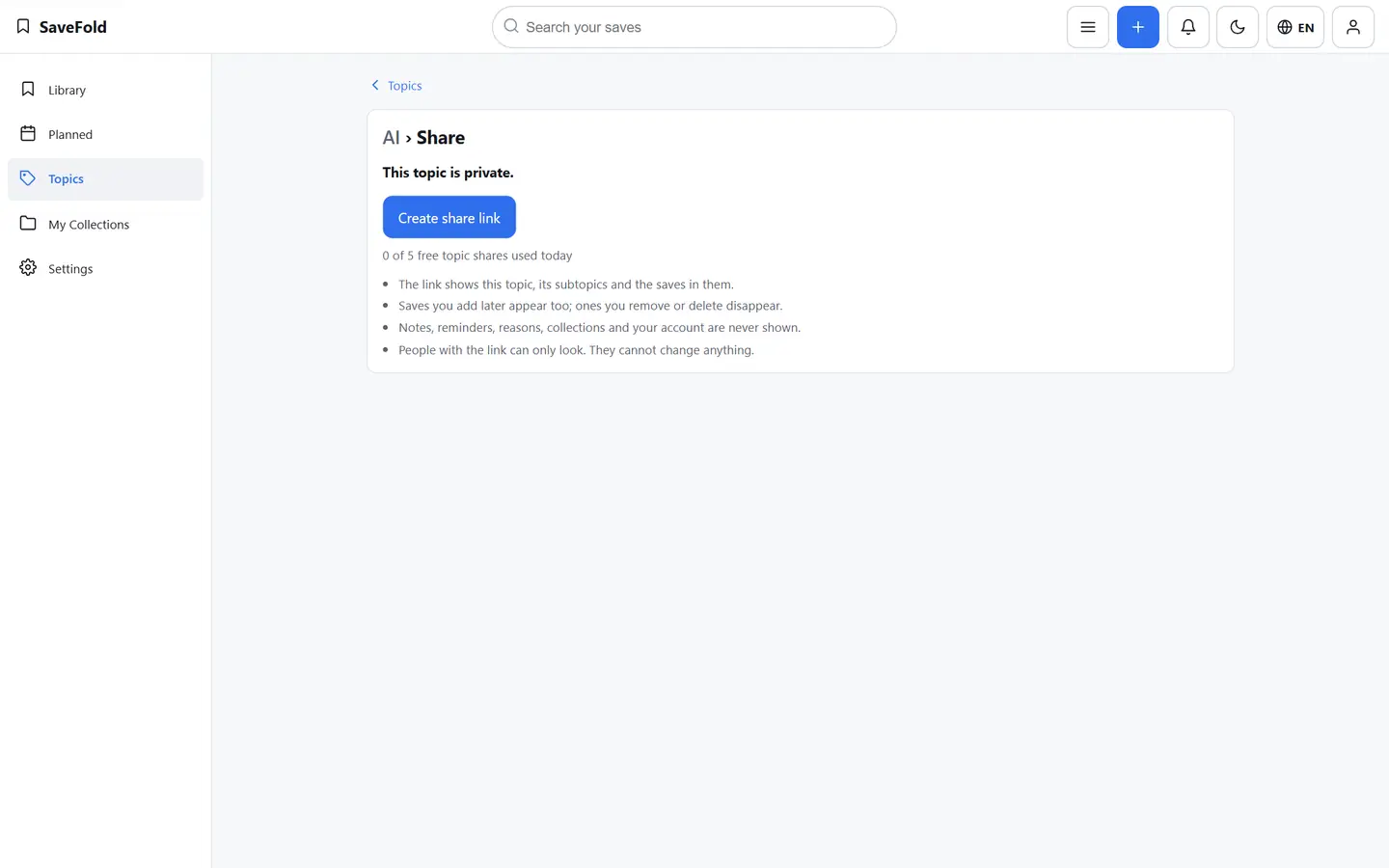
Share a single Save, or a whole Topic with one link. A Topic link stays up to date: what you add later appears, what you remove disappears — and you can stop sharing with one click.

  • A Save by link — with a password or an expiry if you want
  • A whole Topic by link, Subtopics included
  • The link shows the Topic as it is now; stop sharing any time
  • Notes, reminders and your account are never shown

Private by default: nothing is public until you create a link.

Sharing a Topic: the page says what the link shows, that it stays up to date, and that nothing private is included
Community

Someone already collected it. Make it yours.

People share whole Topics — “Useful AI Tools”, “Japan Planning”, “German Learning Resources”. Open one, add it to your Topics, and it becomes your own copy.

  • Open a shared Topic: every Save with its preview, Subtopics included
  • Add to my Topics — as a new Main Topic or inside one you have, with your own title
  • Your copy is yours: later changes to the original never reach it, and duplicates are skipped
  • Or save just one item. Your Library stays private; pause Community any time

Browse shared TopicsSign in to browse.

A shared Topic in Community on a computer: its Saves with previews and the “Add to my Topics” button

Start with the next thing you save.

Free plan · no credit card

Start free